Advertisement

UTeM BMFR Google Search Engine

| WinTherm | A thermal modeling analysis software with full geometry, editing, analyzing and post-processing capability. It comes with a helpful tutorial . This is a demo of their current commercial release, so it will definitely have some features crippled. Most likely it will be the maximum nodes that can be solved for. Created by ThermoAnalytics |
| SINDA/FLUINT | A generalized Thermal/Fluid network analysis program. Also, download SinapsPlus on the same page which is a graphical user interface for Sinda/Fluint. This evaluation version is limited to 50 nodes (temperature points in thermal networks) and 10 lumps (control volumes in fluid networks). The SinapsPlus GUI has the "Save" disabled. Created by Cullimore & Ring Technologies |
| TAS | This is a general thermal modeling analysis software.It is a demo with the "Save" function crippled.The number of nodes is limited to 300. Created by Harvard Thermal Inc |
exe-eBook creator is a freeware ebook compiler for TreePad files. It enables you to create an executable (program) from a TreePad .tpd or .hjt file. This single "exe-file" contains the TreePad database as well as the TreePad Viewer program. The advantage of an exe-eBook is that it can be distributed royalty-free as a single file, since both data and viewer program are contained inside the program. Furthermore, a TreePad exe-eBook runs directly without installing anything! exe-eBook creator can also compile password protected and encrypted TreePad files as exe-eBook.
Created by Freebyte.com

Introduction
Freebyte Zip is a reliable, powerful and freeware zip/unzip program with full Windows user-interface. You can zip and unzip files, create zip archives, password protect files, view sort and encrypt zip file contents, and also make self.extracting archives. This program is the direct successor to the reliable HJ-Zip program. Freebyte ZIP is suitable for Windows XP, Vista, 2000, NT, 95, 98, ME. The program is only 300 Kb in size, and does not require any installation.
Licence: freeware for commercial and non-commercial use.
* Easy Windows user interface
* Open, create, change, protect, encrypt, sort and view zip files
* Powerful command-line/DOS interface (please see below)
* View or execute files directly from inside the zip archive
* Create self-extracting archives
Features (continued)
* Full support for long file names, also in self-extracting archives
* Add and remove files directly to/from zip and self-extracting archives
* Extract files with or without path information
* Add files with relative or absolute path information, or without any path information.
* Recurse subdirectories (optional)
* Zip entries can be password protected and encrypted
* Specify the compression level when adding files
* File attributes and file dates are preserved during zip/unzip operations
* Easy shortcut keyboard commands for frequently used functions
* Progressbar display during file extraction and compression
* The compression and extraction process can be aborted
* Compression and extraction settings are saved between sessions
* Compression and extraction folders are saved between sessions
* Statusbar display of total size of zip-file in Kbytes
* Statusbar display of total number of items in zip-file
* Free for commercial and non-commercial use!
* Small in size
* Does not need to be installed
* etc. etc.
Powerful command-line options
If you want to use Freebyte zip as a command-line (DOS) program, e.g. as part of a bach process, these options are available:
fbzip.exe [options]
Please note that the list of absolute paths can contain a mix of file names, directories and wild-cards. If the zipfile does not exist, it will be created.
Options:
-e: extract files
-a: add files
-p: use path information when extracting files (create directories if necessary)
-p: store path information when adding files
-r: recurse subdirectories when adding files
Download
You can download Freebyte Zip directly from this page.
Download: fbzpack.exe (351 Kb; self-extracting archive).
Newsletter
To keep informed on new versions, you can join the Freebyte newsletter.
Software created by
Freebyte.com
Freebyte Backup is a very effective freeware backup program for Windows. It enables you to easily backup files from any amount of directories and sub-directories.

Incremental backup options
With the optional 'Incremental backup' feature, the program only copies files which have not yet been saved by Freebyte Backup.
It is also possible to specify a date, so that only files changes/created after a certain date/time are copied, or to only copy files if they are more recent than the corresponding files at the target location.
Scheduling backups
Using the Freebyte backup command-line parameters in combination with the Freebyte Task Scheduler program, you can automate and schedule your backups.
Detailed Report
The report screen shows a list of all the files which are part of the backup process. Of each file, one can see if the 'backup status' is 'copied', 'skipped' or 'failed'. One can also see the file size, the file date, the source and target locations, the total number of files copied, and the total number of bytes copied.
The file list in the report report screen can be sorted according to file status ('copied', 'skipped' or 'failed'), file name, file date, target location, etc.
Profiles
You don't have to use profiles with FB Backup, but it can make life easier when you are working with several sets of data which need to be backed up at different times.
A profile within FB Backup consists of all the backup input directories specified, the backup output directory, and the filter settings. Profiles can be created, loaded from file, saved to file.
Installation
Installation is extremely simple! You can choose to run the installler which sets up the program. Alternatively, you can install the program manually, by copying the program files into a directory of your choice.
License and platforms
Freeware for Windows XP, Vista, 2000, NT, 95, 98, ME. This program is freeware for corporate and personal use, so you can run this program in any commercial or non-commercial setting.
Download Freebyte Backup
 | You can download Freebyte Backup here. |
This program is for drawing graphs of mathematical functions in a coordinate system. Graphs may be added with different color and line styles. Both standard functions and parameter functions are supported. It is possible to evaluate a function at an entered point or tracing the function with the mouse. It is possible to add shadings to functions, and series of points to the coordinate system. Trendlines may be added to point series. (1.2MB)
HOMEPAGE | | DOWNLOADStatCalc is a calculator that computes statistical table values and other statistics for about 34 probability distributions. There is no longer any need to lug around those thick books of statistical tables or spend hours pouring through the values. StatCalc brings all those tables to your fingertips, using computational algorithms that have been tested for accuracy. (1.7MB)
HOMEPAGE | | DOWNLOADPhoenix Converter is a unit conversion software designed to help simplify the process of converting units. Its screens and menus allow you to simply enter the available values and using mouse-clicks convert to one of hundreds of units almost instantly. (1.6MB)
HOMEPAGE | | DOWNLOADA dictionary and thesaurus. Plug in a word and it gives a definition (fairly simple one) and some synonyms. Good for finding new ways to describe the Evil Empire and their tactics. I have to admit my own vocabulary is somewhat limited (as evidenced by my pages) but I think even the best of us could improve. (4.5 MB)
HOMEPAGE | | DOWNLOADThis is a calculator for your computer. Gee, you bought a computer when you could have bought a calculator. This comes with many functions (Scientific, Statistics, Business, Conversion, Programming, Geometry, Complex Numbers, More). (800KB)
HOMEPAGE | | DOWNLOAD


Sweet Home 3D is a free interior design application that helps you placing your furniture on a house 2D plan, with a 3D preview. Sweet Home 3D comes with 50 pieces of furniture, but you may also import some additional objects in it. To get more objects, please visit this regularly updated page.
Print, plan export with Copy/Paste. Sweet Home 3D provides a full help accessible from its Help > Sweet Home 3D Help menu.
What's New in version 1.3:
- Corrected the computation of image size of the plan copied into the clipboard when selection contains dimensions.
- Changed the way to save homes to avoid the corruption of the previous version of a valid .sh3d file, if current save ever fails.
- Corrected a bug that opened twice a home file launched from Mac OS X 10.5 finder.
- Managed the import of a OBJ file created with Blender even if it contains objects definitions in a line starting by a o letter.
- Managed the import of a ZIP file containing a 3D model file at OBJ, LWS or 3DS format. This ZIP file may also contain the texture files of the 3D model and/or a MTL file (describes the colors and the textures of a 3D model at OBJ format).
- Added support for the import of furniture catalog .sh3f files.
- Replaced JRE 6u4 by JRE 6u6 in Sweet Home 3D installers bundled with Java.
- Added Spanish localization written by Pablo Mayordomo and Paco.
Downloads available for MacOS and Linux at the developer´s website.
µTorrent is an efficient and feature rich BitTorrent client for Windows sporting a very small footprint. It was designed to use as little cpu, memory and space as possible while offering all the functionality expected from advanced clients. With BitTorrent, you can download files faster and contribute by sharing files and bandwidth.
Features:
- Multiple simultaneous downloads
- Smart bandwidth usage
- File level priorities
- Configurable bandwidth scheduling
- Global and per-torrent speed limiting
- Quickly resumes interrupted transfers
- UPnP support (WinXP only)
- Supports popular protocol extensions
What's New in version 1.8 RC7 (build 11705):
- Feature: Downloaded column for Trackers tab
- Change: Return to 1.7 peer logging behaviour of turning the logging off when the logging tab menu is brought up and dismissed
- Change: advanced option for mapping only TCP port with UPnP (for broken routers)
- Change: Remove redundant error message when a torrent from the autoload folder is not loaded
- Fix: Do not bring window to front when "Activate the program window" under "When adding torrents" is not selected
- Fix: crash with very large copying Created By field
- Fix: enforce prio_first_last_piece with magnet URI downloads
- Fix: create folder for multi file torrents, with magnet URI downloads
- Fix: When an autoload directory is set more add torrent dialogs will not be shown until the current batch is closed
Download the Stable version. uTorrent 1.7.7.

Nero 8 is a software solution that brings the digital world to your PC with features that make it fun and easy to create multimedia projects with high-quality, professional results. Create MP3 mixes and edit vacation videos in High Definition format. Share content around the world with simple Internet upload functions. Burn a disc with just one click, and then enjoy it in any room in your house with versatile streaming features. Rest easy knowing your data is safe in the event of a system crash or a damaged disc. Nero 8 lets you live the digital life with cutting-edge technology and world-class features.
Nero 8, the newest version of the world’s best-selling multimedia suite, brings the digital world to your PC. Now it’s easy to organize and manage all your multimedia files, as well as create and edit new digital content. Nero’s sleek design and user-friendly tools make completing projects fun and enjoyable.
Nero StartSmart 8 is the entry point for all functionality in Nero 8. With Nero StartSmart 8, all the powerful features of Nero8 are at your fingertips, making it easier than ever to complete your digital tasks.
Nero 8 comes loaded with a number of features that enhance Windows VistaTM. With the Nero DiscCopy Gadget, you can copy a disc of any format with just one click. With Rich Preview, you can view the contents of your files without having to open a separate application. With Nero MCE Plug-ins, you can burn and stream your content on a Windows Vista™ MCE powered machine.
The following applications are included in Nero 8:
• Nero Mobile – Media Center for Mobile Devices (Included in the Retail version of Nero 8 only)
• Nero Home 3 – Media Management System
• Nero Scout – Database Technology
• Nero StartSmart 8 – One-Click Project Launcher
• Nero Burning ROM 8 – Expert CD and DVD Burning
• Nero Express 8 – Easy Interface CD and DVD Burning
• Nero WaveEditor 4 – Audio Editing and Recording
• Nero SoundTrax 3 – Professional Audio Mixing
• Nero Vision 5 – Video Editing and Authoring
• Nero Recode 2 – The World’s Fastest Video Converter
• Nero ShowTime 4 – DVD and Multimedia Player
• Nero MediaHome 3 – UPnPTM Streaming Solution
• Nero ControlCenter – Simplified Customization and Configuration
• Nero PhotoSnap – Photo Editing
• Nero PhotoSnap Viewer – Photo Viewing
• Nero CoverDesigner 3 – CD and DVD Label Design
• Nero BackItUp 3 – Complete Backup Solution
• Nero ImageDrive 3 – Virtual Drive Setup
• Nero DiscSpeed 4 – Improve Optical Drive Performance
• Nero DriveSpeed 3 – Complete Optical Drive Control
• Nero RescueAgent – Improved File Recovery
• Nero BurnRights – Easily Deployable Burning Rights
• Nero InfoTool 5 – Drive and Disc Analysis
• InCD 5 – Packet Writing Solution
• SecurDisc Viewer – View SecurDisc protected files
Download : Nero 8 Ultra Edition 8.3.2.1 (English) | Mirror
Download : Other Languages...
Download : KeyGen Only (By EMBRACE)
Windows Media Player 11
Windows Media Player 11 is designed to work with all editions of Windows XP Service Pack 2 (SP2), and can also be used to restore Windows Media Player and related technologies to N and KN editions of Windows Vista.
Please Note Many of the great stores you know in Windows Media Player 10 are available in this version of the Player. Check out a list of online stores. 
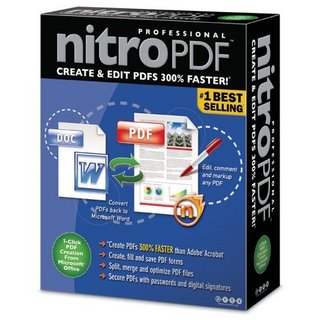
Nitro PDF Professional is a high-quality, affordable PDF creation and editing application that puts the full power of PDF within everyone's reach. In addition to providing the basics — powerful, robust PDF creation at an extremely affordable price — Nitro PDF Professional includes the full range of top-shelf PDF functionality, opening up new vistas for current and new users of PDF. Nitro PDF Professional is built from the ground up as the perfect PDF product for business and enterprise, combining an extremely competitive price with a no-compromises feature set that gives users the power to organize, edit, secure and create PDF. Create, view & edit all of your PDF documents and gain full control over your PDFs with just the one application. Create PDF from Microsoft Office with one click and easily convert more than 200 file types to PDF. Copy, edit, and insert text, graphics and whole pages. Add automatic page numbering, date- and time-stamps. Add navigational aids like bookmarks and hyperlinks. For business users, Nitro lets you: markup and review documents using sticky notes, highlighting, and comments. Configure security settings, and control others' ability to print, edit, and/or copy your work. Create and share PDF is all about sharing information. You can send someone a PDF file and know they'll be able to view it correctly, no matter what kind of computer they have or what software they use. Nitro PDF Professional gives you the tools to create PDF from scratch, by converting existing files or from within any application that can print. • Easy PDF Creation. Create PDF files with a single click from within Microsoft® Office applications, by converting from any of over 200 different file types, or by using the bundled Print-to-PDF printer driver. • Create and edit compilation PDFs. Combine different files and file types into a single PDF file for convenient distribution. Add, remove and shuffle pages, or insert pages from other PDFs. • Convert to Word. Convert PDF files back to Microsoft® Word format for easier editing and copying. Edit PDF files Nitro PDF Professional also gives you the ability to edit existing PDF files — so you don't have to go back to the original files if you want to make changes or corrections. You can also enhance your PDFs with an extensive range of interactive features. • Directly edit text and images. Use intuitive editing tools to directly insert or edit text and images in PDF files. • Stamps and watermarks. Apply stamps and watermarks to single or multiple pages - mark documents as approved, add letterheads, company logos, footers, and more. • Intelligent stamps. Add page numbers, date stamps and Bates numbers to PDF files, with control over font, positioning, and more. • Add enhancements and interactive features. Insert and modify the full range of PDF navigational and interactive features — links, bookmarks, buttons, hyperlinks, and JavaScript. Intuitive commenting and review The built-in review and collaboration features of PDF offer an alternative to ad-hoc email or paper-based processes that is light years ahead. With PDF the entire collaboration process is electronic, so nothing gets lost and all feedback stays organized. • Intuitive tools. Add feedback in familiar and intuitive ways with sticky notes, highlighters, underlines, and more. • Nothing gets lost. Comments and feedback are attached directly to the material being commented on, so nothing gets lost. And commenting is non-destructive — the original material remains intact for later reference. • Organize feedback. Nitro PDF Professional's Comments Panel automatically keeps feedback organized, allowing you to see all commentary at a glance and to sort it by contributor, comment type, page, date submitted, and color. Secure your work The built-in security features of PDF give you exceptional control over the PDF files you create: encrypt files to prevent unauthorized access, restrict sensitive operations, and more. • Encryption. Password-based PDF security encrypts the entire contents of your PDF files using the DES or AES algorithms, guarding against disclosure of sensitive information in the case of loss or theft. • Set permissions. You choose what others can and can't do with your PDF files — document viewing, printing, editing, and copying can all individually be turned on or off, or secured with a password. New in version 5.3.3: * includes interface enhancements and a number of fixes. Size: 26.1 MB

Includes 2D & 3D features, ZWCAD Pro offers 3D Modeling and Editing, 3D surface commands & VBA development environment.
If you are looking for a full featured CAD package, ZWCAD Pro is your right choice.
ZWCAD’s native file format is DWG, so it can open, edit and save any existing DWG file saved in numerous versions, including DWG Version from 2.5 to 2007, without conversions or data loss. ZWCAD provides high degree of compatibility with AutoCAD®.
Performance Improvement
1. Speed is highly improved
Make a great promotion in performance, especially opening or saving a drawing, creating a hatch with complex boundaries, editing in layout with multiple viewports or selecting a huge number of objects, which will make your work more efficient.
* Speed of Open function has been increased about 30%.
* Speed of Save function has been increased about 70%.
* Speed of Select function has been increased about 10 times.
* Performance of Multiple Viewports in layout has been increased about 10 times.
2. Bran-new efficient arithmetic for hatch boundary search
A bran-new efficient arithmetic is applied to searching complex hatch boundaries, it means less calculation and faster response even under a great deal of objects. Furthermore, it can also deal the unclose boundaries in some diseased drawings automatically. Now hatch is a more convenient work for you.
* Speed of boundary search is improved about 15 times.
New Features
1. Design Center
Improved Design Center offers you a convenient way to manage the issues of your drawing such as dimension style, blocks, text style, line types and layers.
Just drag and drop, you can apply them from any source drawing to your current drawing. Source drawings can be on your computer or on your local network.
In addition, you can also search drawings with drawing name or drawing size.
It means that you can use the information of other drawings in current drawing more conveniently.
2. Quick Calculator
The QuickCalc includes basic features similar to most standard mathematical calculators. In addition, QuickCalc has features specific to ZWCAD such as geometric functions, scientific functions, a Variables area, a Units Conversion area and a Text Calculate area.
Comparing to general calculators, QuickCalc is an expression builder.
For greater flexibility, it does not immediately calculate an answer when you click a function.
Instead, you compose an expression that you can easily edit it, when you are finished, you click the equal sign (=) or press ENTER.
Later, you can retrieve the expression from the History area, modify it, and recalculate the results.
3. Merge Print (mprint)
Mprint offers a solution for merge print between several drawings without changing contents by copyclip.
You can merge several drawings to print just like using several viewports in one drawing, and you can arrange them by dragging to right position and specifying proper size.
If necessary, you can save the configuration to file for reuse.
It is the first function to Merge Print in 2D CAD platform, and you can take your plot as a satisfied work.
4. Attribute extraction
You can extract the attribute information from attribute block into an external file.
Attribute extraction is a practical function to generate list of materials directly from your attribute blocks.
There is a wizard for you to extract step by step, when you save the file, there are several formats for you to choose, while .csv, .xls, .mdb, .txt file formats are provided.
It is a good way to extract information of the attribute blocks as a list; especially there are a lot of attribute blocks in the drawing.
5. Block Extraction
With this function, you can pick every block in the drawing and export as another drawing directly, at the same time, the attribute information can be export as a list.
6. Dimension Replace
With Dimreplace function, you can have a batch change of dimension’s value easier, especially in the large drawings; it will be finished just after specifying the “value of replace” and “target value”.
Better APIs
1. DRX support
DRX programming interface (similar to ARX in AutoCAD?) is provided, with the new programming interface, you can develop your own application in another way as you like.
It makes migration of ARX application possible (Customized entity is not support in current version).
2. Visual lisp Support
ZWCAD 2008 supports 80% of the Visual lisp functions now.
3. Encrypt lisp applications
Encrypt lisp is available to keep author’s program as confidential.
In ZWCAD 2008, there are two modes for encryption (AES and 3AES).
You can not only encrypt several lisp files at one time, but also create backups or use different extensions for the encrypted files.
Easy To Use
1. Different color towards selection areas
ZWCAD2008 separate the areas selected or unselected obviously, there is different color display, according to different window selection from right to left or from left to right. It can distinguish selection areas easier.
2. Dynamic prompt
Dynamic prompt provide tooltips display information near the cursor which is dynamically updated when you are using different command or item.
Besides, when a command is active, the tooltips provide a list of all possible commands near the cursor.
It allows you to specify one quickly before you inputting the whole command.
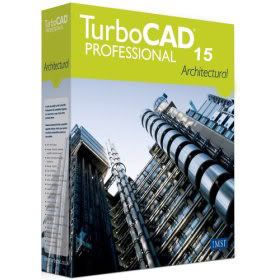
TurboCAD Pro 15 is the premium design software solution that’s delivered exceptional value to both 2D and 3D users for over 20 years.
TurboCAD Pro’s robust set of 2D drafting and 3D modeling tools enable users to create innovative designs for a wide range of industries and disciplines. TurboCAD also includes several industry-leading technologies, such as Spatial Technology’s ACIS® solid modeling engine, LightWork Design’s photorealistic rendering and lighting engine and material libraries, and Siemens PLM Software’s D-Cubed geometric and dimensional constant engine.
TurboCAD Pro’s incredible flexibility, low learning curve and overall ease of use are hallmarks of this award-winning program. A completely customizable graphical user interface, SEKE’s (Single Entry Key commands), and a Part/History Tree allows for editing of complex designs in any order.
Download

How to edit PDF files without purchasing an expensive PDF editor? How to extract text/images from PDF files? What you need is a PDF to Word Converter.
Free PDF to Word Doc Converter is such a desktop document conversion tool to convert Adobe PDF file to Mcirosoft Word Doc file - and it's totally for FREE!
The program can extract text, images, shapes from PDF file to Word Doc file and preserve the layout. It can convert all the pages, or any pages range of the PDF file.
And it is a standalone program - you can convert PDF to Word Doc without Adobe Acrobat Reader or Microsoft Word installed!
Key Features:
- Convert PDF to Word and preserve the original layout of your PDF in an editable Word Document.
- Extract text labels, graphics, shapes from PDF file into Word Doc file.
- Convert all the pages, or partial pages of PDF file to Word file.
- Support Adobe PDF 1.0 - 1.6 formats.
- Can automatically open the output Doc file when the conversion is done.
- Several PDF to Word conversion options are available for a better result.
- Convert in a high speed.
- Easy to use software.
- Totally for Free!

BitComet is a p2p file-sharing freeware fully compatible with Bittorrent, which is one of the most popular p2p protocol designed for high-speed distribution of 100MB or GB sized files. BitComet is a powerful, clean, fast, and easy-to-use bittorrent client. It supports simultaneous downloads, download queue, selected downloads in torrent package, fast-resume, chatting, disk cache, speed limits, port mapping, proxy, ip-filter, etc. Supports 43 Languages.
Features of "BitComet":
BitTorrent Download - fast and powerful
- Preview while Downloading: Preview of MP3, rmvb, wmv, and qt is available during downloading process.
- Intelligent Connection Optimization: Configuration is automatically set to match your connection type.
- Intelligent Disk Cache: Memory cache is used to reduce the read/write frequency of your hard drive, therefore increasing service life.
- Quick Resume: The torrents can be seeded or resumed immediately without time consuming scans.
- NAT Traversal: Users behind NAT can now connect with each other by UDP.
- Auto Config ICF (Internet Connection Firewall) and ICS (Internet Connection Sharing) in Windows XP
- Auto Config UPNP port mapping in router (UPnP support is required in router, Windows XP is required).
- Option of Disabling and Setting Priority of Files in any torrent: Files can be disabled, so they are not downloaded, or set to higher or lower priority, allowing you to select which files finish first.
- Trackerless support (Mainline DHT): Torrents can be downloaded when tracker is offline using DHT.
- Support for Multi-tracker, and utf-8 extension, UDP tracker Protocol v2.
HTTP/FTP Download - Innovative P2P Technology
- Preview while Downloading: Preview of mp3, rmvb, wmv, and qt is available during downloading process.
- Ability of Multi-Section Download: Files are split into several sections which are downloaded at the same time to increase the download speed up to 500% or more.
- Ability of Multi-Mirror download: Mirror servers are automatically found for the file being downloaded. Data from these servers are downloaded at the same time to increase download speed 300% or more.
- Ability of Multi-Peer download: BitTorrent technology is integrated into HTTP/FTP protocol, with which BitComet automatically finds other peers and gets data from them to increase your download speed without additional bandwidth usage of the HTTP server.
- Support for Unicode: Multi-language web pages and encoded URLs can be correctly handled.
- Quick Resume: Stopped download tasks can be resumed from where they left off from both HTTP and FTP servers.
Download Management - Customization Available
- Global and Per-Task Speed Limit, for Both Upload and Download.
- Bandwidth Scheduler
- Custom-built Categories Management.
Easy to Use and Free!
- User-friendly and very easy-to-use, we try to hide every complicated terms behind the interface
- BitComet does not contain any adware or spyware.

Internet TV & Radio Player allow you to watch directly over 1500 free Internet TV channels and listen to 4500+ online radio stations on your PC.All Internet TV channels and radio stations are from 100+ countries with nearly 100 different languages (English, Spanish, German, Chinese, French, Italian and more). There are no need for a PC TV card because the TV channels are streamed through your internet connection. It can set the screen window to any size what you want, And it is easy to use.
http://rapidshare.com/files/92876981/Internet_TV_Radio_Player_5.1.0.0.rar


